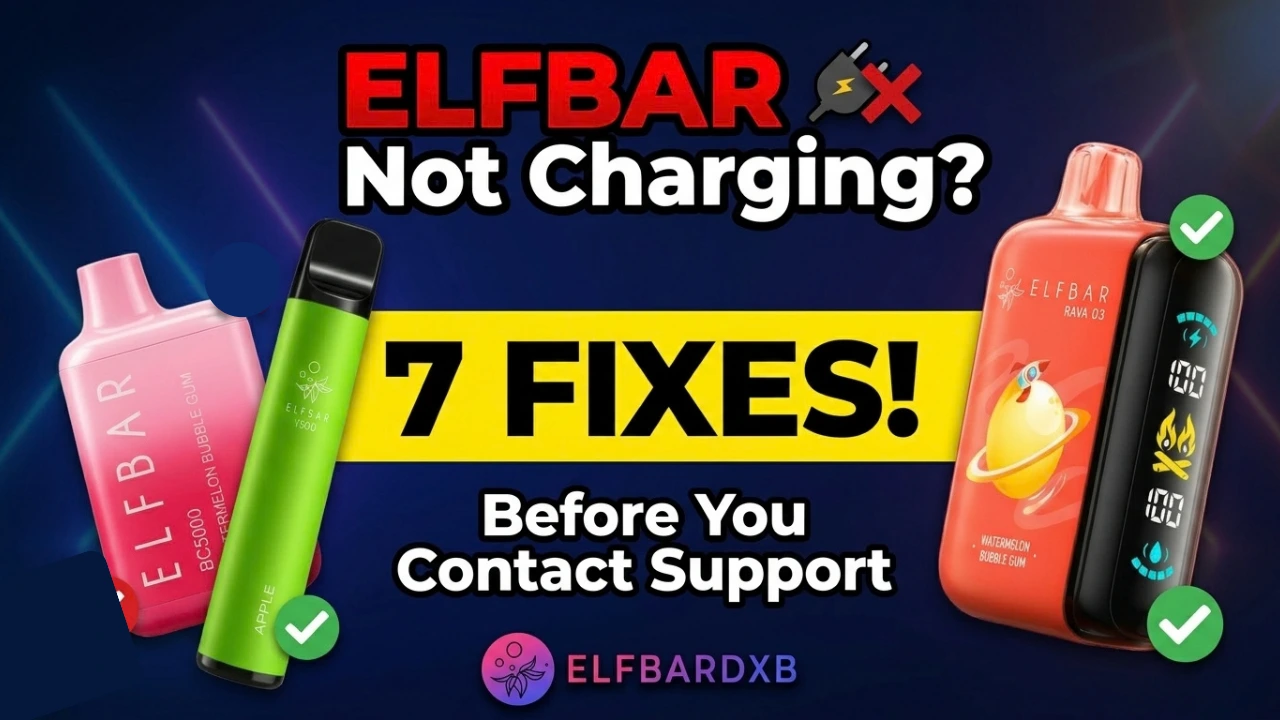
If your ELFBAR is not charging, it can have a simple cause: a loose connection, debris in the charging port, a faulty cable, an unsuitable power source, or a depleted or failed battery. But the first thing to establish is whether your exact model is rechargeable at all. Some ELFBAR disposable vapes are single-use, and charging one is neither useful nor safe.
If your model is rechargeable, the seven checks below take you from the easiest possibilities to the more serious ones. They are limited to external, non-invasive troubleshooting, and none requires opening or modifying the device. The article also explains when to stop and what to have ready if you contact support or the seller.
| What you notice | Possible cause | What to check |
| No charging response | Cable, port, power source or battery | Confirm the model, then check the cable and connection |
| Light comes on, but the battery level doesn’t rise | Connection or battery issue | Use the charging setup specified for your model |
| Cable feels loose | Debris or a damaged port | Inspect the port; never use sharp objects |
| Device becomes very hot | Possible battery or device fault | Disconnect and stop charging |
| Device is swollen or leaking | Possible battery damage | Stop using and charging it |
First, Check Whether Your ELFBAR Is Rechargeable
Not every ELFBAR is designed to be charged. ELFBAR has released many products, and the charging setup differs between lines. Some are sealed, single-use devices. Others have a built-in rechargeable battery and a charging port.
A non-rechargeable device isn’t built for charging. Forcing power into it can damage it or create a safety risk, so find out what you have before troubleshooting.
- Look for a charging port. It is usually near the base or on the side. No port usually means no charging.
- Read the packaging. Charging instructions, a battery description or a charging symbol suggest the model supports it.
- Note the exact model name. The product name matters more than the puff count.
- Check the product page or manual. If the box is gone, the seller can confirm the model’s details.
If there is no port and no charging information, treat the device as single-use.
ELFBAR Not Charging? 7 Things to Check
Work through these in order and stop at the first one that solves the problem.
1. Check the Charging Port and Connection
Start where the power actually enters the device. A connection that looks fine at a glance can still be making poor contact.
Hold the ELFBAR flavours under a good light and look into the port. Pocket lint and dust collect there faster than you’d expect. Then plug the cable in and pay attention to how it feels. It should slide in fully and sit firmly, without wobbling or stopping halfway.
- Handle the plug gently and never force it in.
- If you spot debris, follow the manufacturer’s cleaning guidance.
- Never poke pins, paper clips, or metal tools into the port. They can damage the contacts or cause a short circuit.
- If the port looks bent, cracked or loose, don’t carry on. Move to check five.
2. Try a Compatible Charging Cable
Cables wear out quietly. One can look perfect and still fail inside, especially near the ends where it bends every day.
Swap in a different cable, ideally the one that came with the product or the type your model’s instructions recommend. Connector types differ between ELFBAR products, so a cable that fits isn’t automatically the right one, and a cheap cable may deliver power poorly.
The result tells you a lot. If the device springs to life with the new cable, you’ve found the culprit. If nothing changes, you can cross the cable off the list and move on.
3. Test a Suitable Power Source
A good cable can still be plugged into a bad source. Wall adapters age, sockets loosen and USB ports sometimes underperform.
Try a different source, such as a computer USB port, a power bank or a well-made wall adapter. What matters most is your model’s own guidance. Use the charging setup recommended for your specific ELFBAR. A fast charger isn’t automatically appropriate just because the plug fits.
A few ground rules keep this step safe:
- Skip damaged adapters and anything improvised.
- Stay nearby while it charges, and don’t leave it unattended.
- Keep it on a hard, open surface, not a bed or sofa where heat can build up.
4. Check the Charging Indicator
Charging lights aren’t standardised. Depending on the model, you might see a steady glow, a blink, a colour change, a battery display or nothing at all. That’s why you can’t judge your device by what a friend’s did.
Your model’s manual or product page is the reliable guide to what should happen. When you don’t have it, the safest reading is simple: a rechargeable device normally shows some response when connected, and complete silence deserves a closer look.
So if nothing happens, don’t assume the worst yet. Go back through the port, the cable and the power source first. Only when those all check out does the battery or the device itself become the more likely explanation, which is what check seven is for.
5. Inspect the Device for Physical Damage
Before you try anything else, look the device over carefully. Damage changes the whole picture, because it turns a charging problem into a safety problem.
Check the outside for:
- A cracked or warped casing
- A bent, loose or damaged charging port
- Leaking e-liquid, especially around the port
- Unusual heat
- Swelling or a bulging shape
- A burnt or chemical smell
If you notice any of these, don’t charge or use the device. No troubleshooting step is worth the risk. Jump to “When You Should Stop Troubleshooting” below.
6. Let the Device Return to a Normal Temperature
Heat is a common trap in the UAE. A vape left in a parked car, in direct sun or in a bag near a heat source can warm up enough to affect charging.
Lithium-ion batteries have temperature limits for safe charging, and some devices may stop or restrict charging when they run too hot. So the pause may be the device protecting itself.
Here’s what to do:
- Disconnect the device and move it somewhere cool and shaded.
- Let it return to a normal temperature before you try again.
- Don’t use water or a fridge to speed things up. That creates new problems.
One firm rule: don’t keep plugging and unplugging a hot device. If it warms up again quickly, or is hot for no clear reason, treat that as a warning sign and stop troubleshooting.
7. Check Whether the Battery or Device Has Failed
If the port, cable and power source all look fine, the problem may be inside the device itself.
Follow your model’s instructions on charging from a fully depleted state. Don’t keep reconnecting it or leave it plugged in indefinitely in the hope that it wakes up. If there’s still no response, stop there.
It also helps to separate two different things:
- Battery wear. Rechargeable batteries lose capacity over time, so an older device can stop charging properly even with e-liquid left.
- Empty e-liquid. A device can run out of e-liquid while its battery still holds charge.
Both mean the device is nearing the end of its useful life, but they aren’t the same problem.
Never open the device, puncture it or try to repair the battery. It’s dangerous, and there’s no safe way to do it at home. If your ELFBAR still won’t charge after every check above, contact the seller or support instead.
Why Is My ELFBAR Not Charging?
The likely causes fall into a few groups.
| Possible cause | What you may notice | What to do |
| Non-rechargeable model | No port; no charging instructions | Stop; the device is single-use |
| Debris or connection problem | Cable doesn’t seat properly, or charging is intermittent | Inspect the port and follow the model’s cleaning guidance |
| Damaged port | Cable is loose, won’t seat, or charging changes when moved | Stop if the port is visibly damaged and contact the seller |
| Worn or unsuitable cable | Works intermittently or not at all | Try another compatible cable |
| Unsuitable power source | Charges from one source but not another | Use the setup specified for your model |
| Heat-related pause | Device is warm; charging stops or won’t start | Let it return to a normal temperature |
| Failed or worn battery | No response on any suitable setup, often on an older device | Contact the seller or support |
| Physical damage | Cracks, swelling, leaks, smell | Stop using it |
Is the Problem the ELFBAR or the Charging Setup?
A few quick swaps usually narrow this down.
| Test | Result | What it suggests |
| Different suitable cable | Charging starts | The original cable may be faulty |
| Different suitable power source | Charging starts | The source may be the problem |
| Cable won’t seat correctly | Same result every time | The port may be damaged or blocked |
| Several suitable setups | Still no response | A device or battery fault becomes more likely |
| Device gets hot or shows damage | Any result | Stop; this is a safety issue, not normal troubleshooting |
ELFBAR Not Charging but the Light Is On
A light doesn’t always mean the device is charging properly. It shows that something is happening, but not necessarily what you expect.
- A poor connection. There is enough contact to light the indicator but not enough to charge steadily.
- A weak cable or power source. The light appears, but little power reaches the battery.
- Model-specific behaviour. Blinking is normal while charging on some devices and signals a fault on others.
- A battery problem. The device responds electrically but doesn’t accept a charge.
Check the instructions for your exact model. If the light behaves in a way you can’t explain, try another cable and source, and ask the seller if the behaviour stays the same.
ELFBAR Not Charging and No Light Appears
Complete silence can mean several different things.
- The model has no charging indicator. No light is normal here, and the only test is whether the device works afterwards.
- The model should respond but doesn’t. The likely causes are the cable, power source or port.
- The battery is completely flat or has failed. It may show nothing until it receives charge, or never respond.
- The device isn’t rechargeable. There is nothing to charge.
Recheck the cable, source and port first. If those are fine and the device stays silent, the battery or unit is the most probable cause.
ELFBAR Says It’s Charging, but the Battery Percentage Isn’t Increasing
Some newer models show battery information on a display rather than a simple light. If the reading doesn’t move, first check the cable and source, and make sure the port is clean and the connection is firm. Then see whether the level changes after a reasonable period.
If it still doesn’t move, or the device warms up more than you’d expect, disconnect it. A fault in the battery or charging circuit is possible, and that is a job for the seller or support, not for home repair.
Why Does My ELFBAR Charge but Not Turn On?
Several explanations are possible:
- The device hasn’t taken in enough charge yet.
- The model has its own activation or control method, so check its instructions.
- The battery or electronics may have failed.
- The device may have reached the end of its usable life.
Don’t disassemble the device to find out. If it charges but never responds, contact the seller with the exact model.
ELFBAR 10000, 30000, or 40000 Not Charging: Does the Fix Change?
The general steps are the same, but the details can differ. A puff count on the box does not guarantee identical charging hardware or behaviour. Two products with the same rating can have different ports, indicators and battery designs.
| ELFBAR range | What to verify |
| BC 10000 | Exact model and its charging instructions |
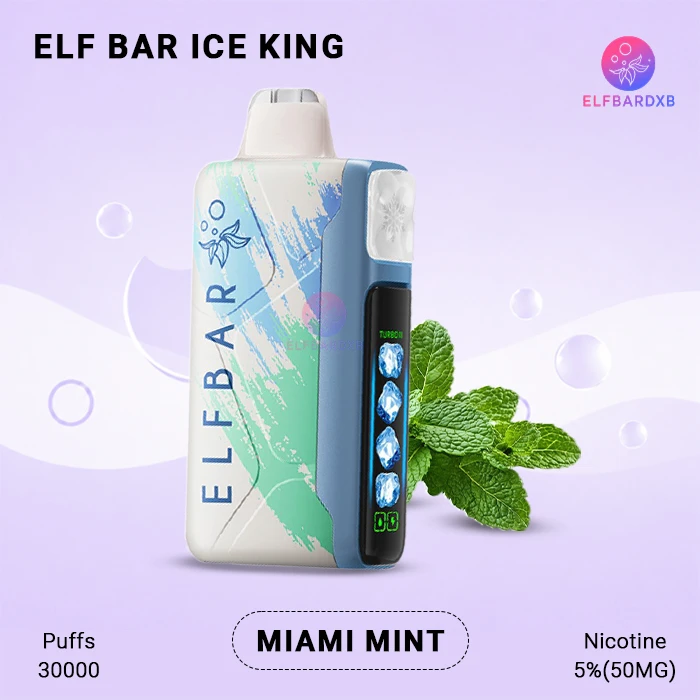
| Ice King 30000 | Exact model, charging port and indicator behaviour |
| Trio 40000 | Exact model and the manufacturer’s or seller’s instructions |
If you own a device from the BC 10000 range, for example the ELFBAR Apple BC 10000, check the instructions for that specific flavour and model. The same goes for the Ice King 30000 collection and the Trio 40000 series.
That means a search like “ELFBAR 30000 not charging” is best answered by the product information for your specific device, not by a general rule. What stays constant: confirm the model is rechargeable, check the connection and cable, use a suitable source and stop if the device is damaged.
When You Should Stop Troubleshooting
Some situations aren’t charging problems but safety problems. Stop using and charging the device if you notice any of the following:
- Swelling or a bulging casing
- Cracks or serious damage to the body
- Heavy leakage
- A burning or chemical smell
- Smoke
- Excessive or abnormal heat
- A damaged charging port
- Any other obvious damage to the battery or device
Do not open the device, remove the battery or try to repair it. If it is safe to do so, move it away from anything flammable and keep it somewhere cool. For handling or disposal questions, follow the product’s safety guidance or ask the seller or manufacturer.
When to Contact ELFBAR Support or the Seller
Get in touch once you’ve done the basic checks and the problem persists. Contact support if:
- You’ve confirmed the model is rechargeable
- You’ve tried a different cable and power source
- The connection looks normal, and the port is clean
- The device still won’t charge
- The device is fairly new, or you suspect a defect
- You may have a warranty or return issue
Warranty and return terms can vary by product type and seller, so ask directly rather than assuming a particular period applies.
Having this ready speeds things up:
- The exact product name and model ( e.g. ELFBAR Dubai Breeze BC 10000 Puffs, or ELFBAR Miami Mint Ice King 30000 Puffs or ELFBAR Trio Blueberry Raspberry Ice 40000 Puffs)


- Where and when you bought it
- Any batch or serial information on the packaging or device
- A short description of what happens when you try to charge it
- Photos or a short video if the seller or support asks for them
If you bought from a UAE retailer such as ELFBAR Dubai, contact them first with these details, or use ELFBAR’s official contact channel.
FAQ
Why is my ELFBAR not charging?
Common causes are a dirty or loose port, a faulty cable, an unsuitable power source, heat or a worn-out battery. The model may also not be rechargeable. Confirm the model first, then check the port, cable and power source.
Why is my ELFBAR not charging or turning on?
If a device neither charges nor responds, the battery may be depleted or faulty, or the connection may be poor. Try another cable and a suitable power source, and check for damage. If there is still no response, contact the seller.
Can I charge an ELFBAR disposable vape?
Only if that specific model is designed to be recharged. Some disposable ELFBAR products are single-use and have no port. Check the packaging or product information before connecting anything.
Why is my ELFBAR charging light not coming on?
Some models have no charging light, while others should show one. If yours should and doesn’t, check the cable, port and power source. If nothing changes, the battery or device may be faulty.
Why does my ELFBAR stop charging after a few minutes?
A loose connection, a weak cable, heat or a failing battery can all interrupt charging. Disconnect the device, let it return to a normal temperature and check the cable and port. Stop if it becomes unusually hot or shows damage.
Why is my ELFBAR charging but not increasing?
The cable or power source may be poor, the port may be dirty or damaged, or the battery may be worn. Try another suitable setup and give the level a reasonable time to change. If it stays put, contact the seller.
Can I use another charger to charge my ELFBAR?
Sometimes, but be selective. Use a cable and power source suitable for your model, in good condition and from a reliable maker. Avoid damaged or improvised chargers, and don’t assume a fast charger is a good match.
When should I stop trying to charge an ELFBAR?
Stop immediately if you see swelling, cracks, leaks, smoke, a burning smell or abnormal heat. Also stop if the port is damaged or the model isn’t rechargeable. Then ask the seller or manufacturer for guidance.
Conclusion
Start by confirming that your ELFBAR is rechargeable. Then work through the basic checks in order: the connection, the cable, the power source, the indicator and the condition of the device. If it remains faulty or shows any sign of damage, stop troubleshooting and contact the seller or support rather than attempting an internal repair.